

Introduction: Key Criteria for Selecting AI-Powered Mobility Solutions
Choosing AI-powered mobility aids starts with understanding how they perform in the real world—busy sidewalks, train platforms, crowded crosswalks, and dimly lit corridors. The best solutions combine reliable computer vision with intuitive feedback so you can make quick, confident decisions. Whether you prefer wearable vision technology like smart glasses or companion tools that enhance cane or dog-guide travel, focus on how well the system supports your specific routines.
- Sensing accuracy and latency: Evaluate how quickly and reliably the device detects obstacles, signage, entrances, and crosswalks. Real-time OCR for menus and transit displays, plus object and person detection, can reduce hesitation and backtracking.
- Navigation across environments: Look for tools that handle both outdoor GPS and indoor wayfinding, such as recognizing landmarks, reading aisle numbers, or supporting beacon/QR-based guidance. Consistent performance in parking garages, malls, and transit hubs is vital for low vision navigation tools.
- Audio and haptic design: Open-ear or bone-conduction audio keeps environmental sounds audible while delivering turn-by-turn cues. Discreet vibrations for left/right prompts can be more precise in noisy spaces than voice alone.
- Hands-free control: Voice commands, simple gestures, and tactile controls should work even when your hands are on a cane or dog harness. Test responsiveness in windy conditions, on a noisy bus, and when the phone is pocketed.
- Privacy and data use: Prioritize devices that do on-device OCR and offer clear controls over cloud uploads. If you’ll use people or face detection, understand what’s stored, for how long, and where.
- Comfort, battery, and durability: Smart glasses for visual impairment should be lightweight, balanced, and cool against the skin, with all-day battery options or swappable packs. Check weather resistance, lens tint options for glare, and cable routing that doesn’t snag on clothing.
- Compatibility and ecosystem: Confirm support for your phone’s operating system, headphones, and favorite apps (e.g., remote assistance). AI travel aids for blind users should complement cane techniques or dog-guiding without creating new hand or head clutter.
- Training and support: The best assistive technology for blind and low vision users includes personalized setup and practice in real environments. Ongoing updates, a clear roadmap, and responsive support make daily travel smoother over time.
Florida Vision Technology offers evaluations that let you compare wearable vision technology side by side and practice in your own travel contexts. Their team provides individualized and group training, in-office or at home, to help you integrate tools like AI-powered smart glasses into daily routes. As an authorized distributor for leading brands, they can match device features to your goals and budget for increased independence.
Advanced AI Smart Glasses for Hands-Free Navigation and Recognition
For many people who are blind or have low vision, AI-powered mobility aids in the form of smart glasses can add hands-free awareness without occupying the cane hand or the harness of a guide dog. These wearables capture what’s ahead and deliver audio feedback for reading, identification, and scene context in real time. The result is quicker decisions at bus stops, in stores, and across busy transit hubs.
Core capabilities span instant text-to-speech for signage and timetables, product and currency identification, and scene descriptions that summarize what’s in front of you. Some models also let you enroll familiar faces, scan barcodes, or initiate a live video call to a trusted contact for remote assistance when you need a second set of eyes. When paired with a smartphone, many users keep Bluetooth audio prompts for turn-by-turn directions in one ear while maintaining environmental awareness with the other.
- OrCam MyEye: A clip-on camera that attaches to your own frames and reads text, recognizes enrolled faces and products, and responds to simple gestures. Its on-device processing helps in bright outdoor spaces where connectivity is spotty.
- Envision Glasses: Offers fast text reading (including columns and handwritten notes), scene description, and the option to video-call an ally for guided assistance during complex tasks like finding a platform entrance. Lightweight design keeps your posture upright while traveling.
- Ray-Ban Meta smart glasses: Hands-free capture, open-ear audio, and voice commands make quick snapshots of signs and moments effortless. Meta AI’s visual descriptions (availability varies by region and settings) can help with labeling what’s ahead, and the onboard mic/speakers are useful for calling a friend or connecting to remote support services via your phone.
- Solos smart glasses (Ally Solos): Built-in voice assistant access and real-time captions can support environmental awareness and communication, complementing cane or guide dog travel. The head-up design reduces the need to pull out a phone.
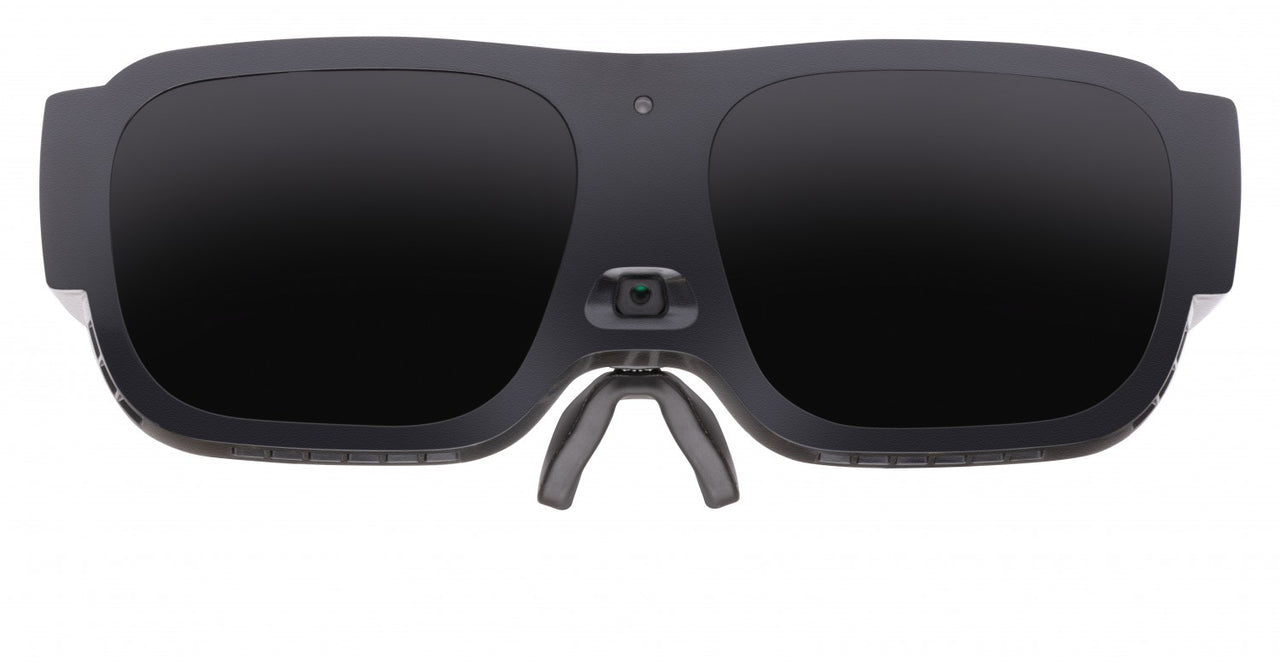
- Electronic vision enhancement for low vision (eSight, Eyedaptic, Vision Buddy Mini, Maggie iVR): These wearable vision technology systems magnify and enhance contrast so you can spot door numbers, route markers, or menu boards from farther away. They’re ideal when residual vision benefits from stabilized zoom and edge enhancement rather than audio-only output.
Florida Vision Technology provides assistive technology evaluations to match the right smart glasses to your goals, lighting conditions, and travel skills, followed by individualized or group training. As an authorized Ray-Ban Meta distributor with in-person appointments and home visits, their team helps integrate glasses with mapping apps, Bluetooth audio, and your current mobility tools. Explore their wearable vision technology options like eSight Go to compare fit, field of view, and controls before you buy.
Next-Generation Smart Canes and Obstacle Detection Sensors
AI-powered mobility aids are redefining what a white cane can do by adding real-time sensing and intelligent alerts. Next-generation designs layer ultrasonic or camera-based detection onto traditional mobility techniques, helping identify head-level hazards, overhangs, or fast-approaching obstacles that a standard cane may miss. For many users, these tools boost confidence in crowded stations, construction zones, and unfamiliar indoor layouts.
Smart canes like WeWalk and UltraCane embed ultrasonic sensors in the handle to scan ahead and above waist level, translating proximity into gentle vibrations. Companion apps can provide turn-by-turn guidance, transit information, and voice control, enabling hands-on orientation while maintaining situational awareness. Some models support firmware updates and customizable sensitivity, so feedback can be tuned for different environments.

Wearable obstacle sensors extend detection beyond the cane sweep. Sunu Band uses sonar on the wrist to map distance via variable haptic pulses, useful in tight aisles or busy crosswalks. Biped, a shoulder-worn device, leverages computer vision to classify obstacles and anticipate collisions, delivering concise audio or haptic cues without constant chatter. Shoe-mounted options like InnoMake add downward and forward detection to help notice low-lying hazards, steps, or puddles when both hands are occupied.
Combining sensors with smart glasses for visual impairment can create a more complete navigation toolkit. A cane or wearable can manage obstacle avoidance, while glasses such as Envision or OrCam assist with reading signs, recognizing doors or products, and describing scenes. This layered approach lets users choose the right low vision navigation tools for each task, from route finding to information access, all within a wearable vision technology setup that remains discreet.
When comparing devices, consider practical factors that affect daily use and training time:
- Detection method (ultrasonic vs. camera-based AI) and latency of alerts
- Haptic patterns and audio options, including bone-conduction support
- Indoor/outdoor modes, weather resistance, and battery life
- App accessibility on iOS/Android and offline functionality
- Cane compatibility, tip durability, charging/maintenance, and warranty
Florida Vision Technology helps clients evaluate these assistive technology for blind solutions through individualized assessments, in-person appointments, and home visits. Their specialists can set up route simulations in public settings and provide one-on-one or group training to build safe, efficient travel skills with AI travel aids for blind users. If you’re exploring AI-powered mobility aids or considering a mixed setup with smart glasses and sensors, their team can recommend the right combination to match your goals and environment.
Mobile AI Applications for Real-Time Public Transit Assistance
Mobile AI applications are transforming how blind and low vision travelers access buses, trains, and rideshares in real time. As part of AI-powered mobility aids, these tools provide step-by-step guidance, stop alerts, and instant interpretation of signage and displays. Combined with a cane or guide dog and good orientation and mobility skills, they can reduce uncertainty without replacing essential safety techniques.
Transit planners like Moovit and Google Maps pair accessible interfaces with real-time arrival data and clear, spoken directions. Features such as precise stop announcements, platform changes, and last-leg walking guidance help you board the correct vehicle and exit at the right stop. For many users, these apps are effective low vision navigation tools when used with VoiceOver or TalkBack and large-text settings.
Computer vision apps convert hard-to-see information into audio on the fly. Envision, Seeing AI (iOS), Google Lookout (Android), and Be My Eyes with “Be My AI” can read departure boards, bus numbers, and gate signs, and describe surrounding landmarks. In many cities, NaviLens tags at stations and stops deliver accessible arrival times, platform details, and routing—just point your camera toward the tag and hear instant guidance.
Hands-free wearable vision technology can streamline the experience in crowded stations. Smart glasses for visual impairment like Envision Glasses or Ray-Ban Meta can read signage, describe scenes, and trigger navigation shortcuts by voice, keeping one hand free for a cane. Florida Vision Technology helps clients evaluate the right AI travel aids for blind and low vision users and provides individualized training to pair phones with glasses, customize shortcuts, and practice real-world transit tasks; the company is also an authorized Ray-Ban Meta distributor.

Set up your phone and wearables to minimize friction before you travel:
- Save favorite routes and enable geofenced stop alerts in your transit app.
- Download offline maps and pre-plan step-free paths where available.
- Create voice shortcuts to start navigation, identify bus numbers, or read the next departure board.
- Use haptics on a smartwatch for discrete turn prompts and stop notifications.
- Set high-contrast, large-text, and magnifier widgets for quick access at platforms.
- Confirm critical details with drivers or station staff when needed, and report inaccessible signage to transit agencies.
For personalized recommendations, Florida Vision Technology offers assistive technology evaluations, group and 1:1 training, and home visits to integrate these tools into your daily commute.
Comparison Summary: Performance in Diverse Public Environments
Performance varies by setting and by task. In fast-paced transit hubs, AI-powered mobility aids with on-board obstacle detection and scene description provide timely, hands-free awareness. Smart glasses for visual impairment like Envision Glasses can announce gate numbers, identify exits, or call a trusted contact for assistance, while AI audio frames such as Ray-Ban Meta can describe surroundings when paired with a phone. Smart canes with ultrasonic sensors and haptic feedback are especially helpful for elevated obstacles and crowd navigation where audio cues get lost.
At busy intersections, no solution is a substitute for orientation and mobility skills, but certain features help. Wearable vision technology that recognizes pedestrian signals or reads street signs at a distance can reduce uncertainty. Voice control may struggle in traffic noise; devices with tactile feedback or physical buttons maintain reliability. OrCam excels at instant text and currency reading but does not provide obstacle detection, so it pairs well with a cane.
Inside malls and grocery stores, low vision navigation tools that read labels, detect barcodes, and recognize products streamline errands. OrCam and Envision can quickly read aisle markers and shelf tags; pairing them with a smart cane improves spatial safety. For individuals with usable vision, magnifying wearables like eSight, Eyedaptic, Vision Buddy Mini, or Maggie iVR make signage, menus, and price tags legible from several feet away—a practical advantage when scanning shelves or locating restrooms—though they are not designed to detect hazards.
Quick comparisons by environment:
- Transit hubs: Smart canes + Envision or Ray-Ban Meta for scene cues; haptics cut through noise.
- Crosswalks: Text/sign reading on glasses helps; rely on cane skills for obstacle detection.
- Grocery/retail: OrCam/Envision for barcodes and labels; eSight/Eyedaptic for magnified wayfinding.
- Restaurants/museums: Wearables shine for menus and exhibit text; remote assistance as backup.
- Low-light or glare: Canes remain consistent; some cameras struggle without illumination.
Connectivity and latency matter. On-device OCR (e.g., OrCam) stays responsive offline. Cloud-dependent AI travel aids for blind, including Ray-Ban Meta smart glasses, benefit from rich descriptions but need a stable phone link and data. Battery life varies from a few to several hours; carrying a power bank is pragmatic for day-long outings.

Selecting and combining assistive technology for blind users is highly individual. Florida Vision Technology offers in-person evaluations, home visits, and training to test these options in your actual routes. As an authorized Ray-Ban Meta distributor and provider of Envision, OrCam, eSight, Eyedaptic, and more, the team can tailor a setup that balances comfort, reliability, and independence across your most frequented public environments.
Buying Guide: Identifying the Best Mobility Aid for Your Needs
Start by clarifying your goals. Do you need real-time scene description, hands-free text reading, or magnification for signage and menus? AI-powered mobility aids vary widely: some are optimized for blind travelers who rely on audio, while others are wearable vision technology that enhances remaining vision for low vision navigation in bright, complex environments. Consider how the device will complement your white cane or guide dog rather than replace it.
Match the tool to your vision profile and routine. Smart glasses for visual impairment such as Envision Glasses or OrCam MyEye excel at reading text, recognizing faces/products, and offering scene descriptions—key for blind users navigating public spaces. Electronic vision glasses like eSight, Eyedaptic, Vision Buddy Mini, and Maggie iVR provide magnification, contrast, and autofocus to help low vision users spot signage, bus numbers, and aisle markers. Smart canes with obstacle detection can add an extra buffer in unfamiliar settings, especially at night or in crowded transit hubs.
Use this checklist to narrow choices across AI travel aids for blind and low vision navigation tools:
- Vision and mobility profile: no light perception vs residual acuity, cane/dog proficiency, balance.
- Environments: indoor malls, bus terminals, crosswalks, glare, rain, and low light.
- Core functions: text-to-speech, scene description, object/landmark recognition, and hands-free gestures or voice control.
- Navigation workflow: compatibility with smartphone GPS apps for audio turn-by-turn, and optional live assistance (e.g., Aira or Be My Eyes).
- Comfort and awareness: weight, heat, peripheral vision occlusion, and discreet form factor for all-day wear.
- Audio and connectivity: Bluetooth with hearing aids, mic quality in noise, offline modes, and latency.
- Battery strategy: swappable batteries, quick-charge, and realistic runtime for a full commute.
- Durability: water/sweat resistance, lens options, and secure mounts.
- Data and privacy: on-device processing vs cloud, consent for saving images.
- Training and support: onboarding, ongoing updates, warranty, and local service.
Examples: If you’re blind and want rapid text reading on the go, Envision Glasses or OrCam MyEye can read signage, departure boards, and menus while offering scene summaries. If you have usable vision and need clarity at distance, Eyedaptic or eSight can enhance contrast and zoom to identify bus stops or gate numbers. For mainstream-looking AI eyewear, Ray‑Ban Meta smart glasses (available through Florida Vision Technology) pair with your phone for hands-free audio guidance and AI object identification, while keeping your ears open to street cues.
Florida Vision Technology provides assistive technology evaluations, in-person demos, and home visits to tailor the right setup—including pairing smart glasses with your cane, optimizing audio, and training for real-world travel. Their specialists can also advise on funding pathways and employer accommodations, then deliver individualized or group training to build confidence and independence.
About Florida Vision Technology Florida Vision Technology empowers individuals who are blind or have low vision to live independently through trusted technology, training, and compassionate support. We provide personalized solutions, hands-on guidance, and long-term care; never one-size-fits-all. Hope starts with a conversation. 🌐 www.floridareading.com | 📞 800-981-5119 Where vision loss meets possibility.